Case Study
ElasticUI.
A lightweight, self-hosted Elasticsearch UI inspired by MongoDB Compass — built with Next.js and NestJS.
Contents
01
About
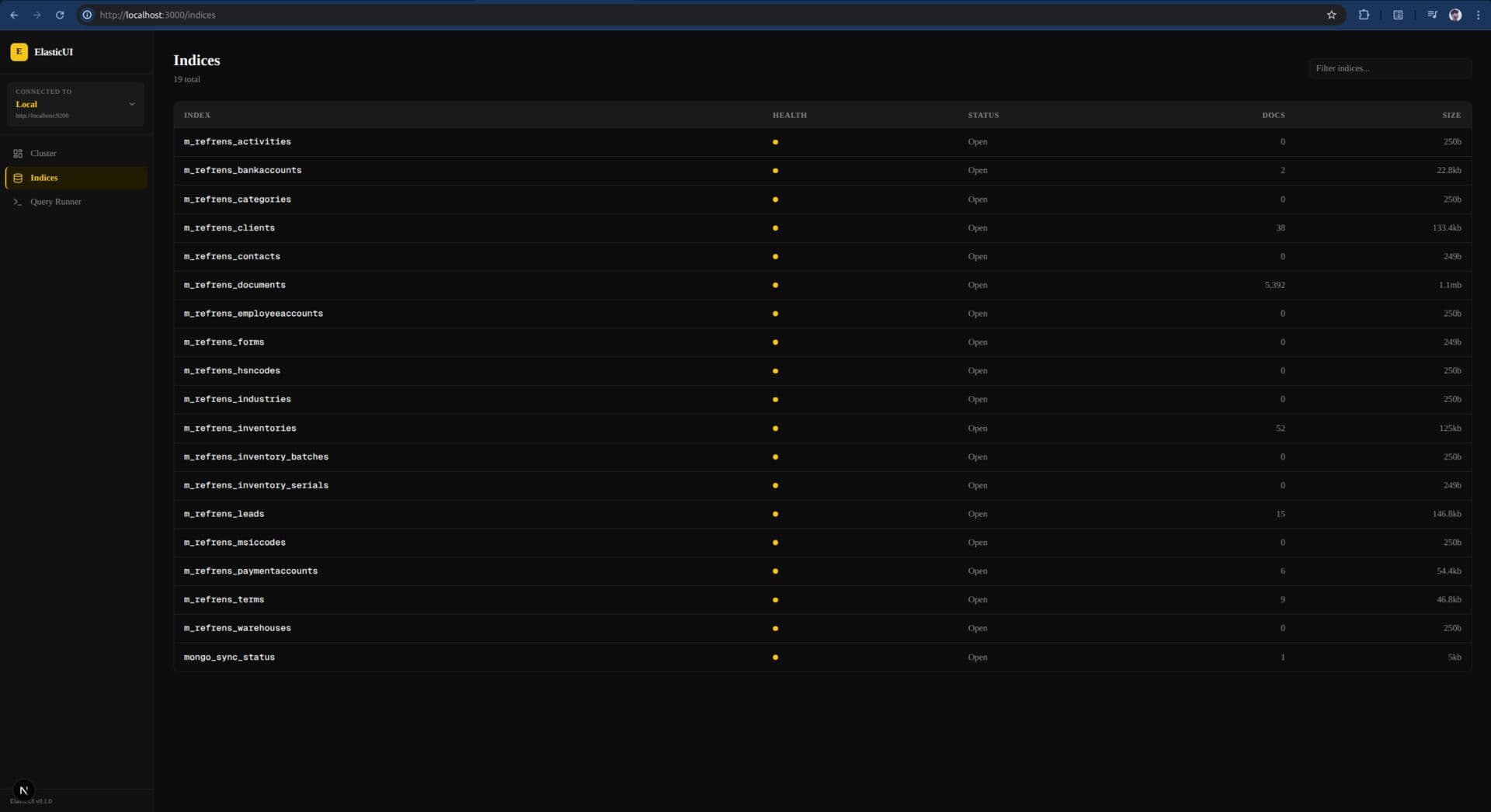
ElasticUI is a self-hosted web application for browsing and querying Elasticsearch clusters — designed to feel as polished as MongoDB Compass but purpose-built for Elasticsearch workflows. The project is split into two independent repositories: elasticui-server, a NestJS backend that acts as a secure proxy between the browser and Elasticsearch (managing credentials server-side, exposing a clean REST API, ensuring the frontend never communicates with Elasticsearch directly), and elasticui-client, a Next.js 15 frontend with a dark, yellow-accented design system built on Tailwind v4 and shadcn/ui. Core features: connection manager with validation, cluster overview (health, nodes, shards), index browser with document count and aliases, paginated document browser with full-text search and a field selector drawer, and a CodeMirror-powered query runner with a collapsible JSON tree viewer. Stack: NestJS · Next.js 15 · TypeScript · Tailwind v4 · shadcn/ui · Zustand · TanStack Query · CodeMirror.
02
Challenges
Elasticsearch v9 client compatibility: the official client sends a compatible-with=9 media type header that clusters running ES 7/8 reject. The fix required injecting plain Accept/Content-Type headers only on client.search() calls rather than at the constructor level. Zustand hydration race: on hard refresh, persist middleware reads localStorage asynchronously — before hydration, activeConnectionId is null, triggering the auth guard to redirect to /, which then saw the hydrated connection and bounced to /cluster. Fixed by adding a _hasHydrated flag via onRehydrateStorage and gating all redirect logic on it. Field selector drawer performance: draftFields state in the top-level page triggered full re-renders on every checkbox click, including the document table and TanStack Query subscriptions. Extracted the drawer into its own component that owns its state entirely and only calls back on Apply. Connection validation: saving a connection with an unreachable port or a non-ES service produced no error. The backend now does a two-step check — HTTP reachability with a 5-second timeout, then confirms the response contains Elasticsearch's canonical tagline 'You Know, for Search'. Multi-connection UX: 'Manage connections' originally cleared activeConnectionId before navigating, disconnecting the user mid-session. Redesigned to navigate without touching the active connection, showing a Back button when connected.
03
Results
Fully functional Elasticsearch UI deployable on any machine with Node.js — no cloud dependency, no cluster changes required. Secure by design: credentials never leave the server; the browser only sends a connection ID via X-Connection-Id header. Handles real-world multi-connection workflows — tested with simultaneous local and SSH-tunnelled Elasticsearch instances. Sub-100ms field selector interaction after component isolation refactor. Clean, consistent dark UI with a yellow (#F5C518) primary palette — readable at a glance, usable across cluster sizes from a handful of indices to hundreds.